
The small details make all the difference

Quick facts
- CPU:
- Hitachi SH3 @ 40 MHz
- RAM (KB):
- 4096
- Storage (MB):
- -
- Display:
- LCD with 4 levels of gray and 480x240 resolution. EL backlight.
- Operating system:
- Microsoft Windows CE 1.0 (ROM upgrade to CE 2.0 available)
- Year introduced:
- 1997
- Power source:
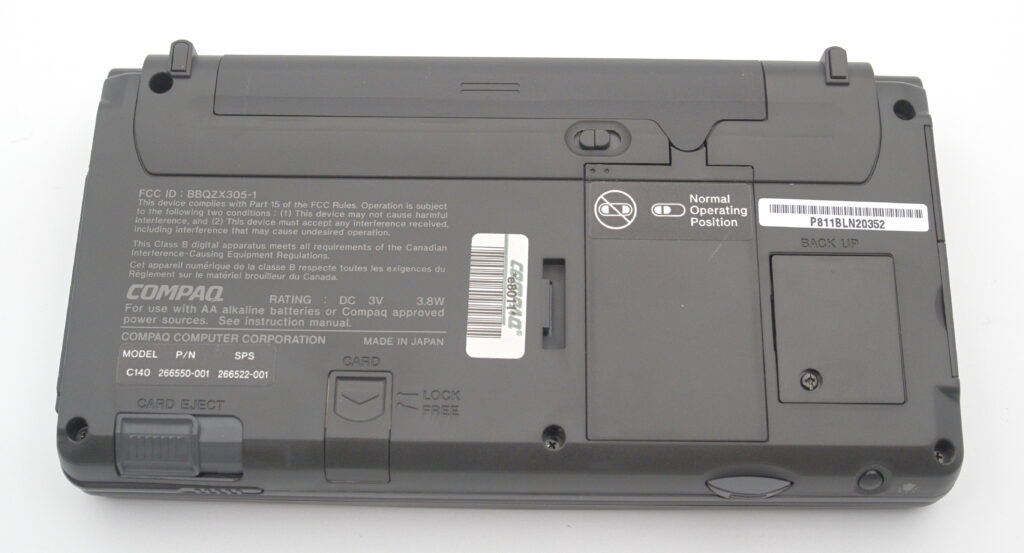
- 2 x AA-cells and CR2032 for RAM backup
- Connectivity:
- Serial (proprietary connector) and IR
- Dimensions (mm):
- 175x91x25
- Weight (g):
- 382
- Built-in apps:
- Pocket Word, Pocket Excel, Calendar, Contacts, Tasks, Calculator, Inbox, PC-Link, Terminal, Solitaire
- Input method:
- Keyboard and Stylus
Introduction
When Microsoft introduced Windows CE 1.0 in 1996, many manufacturers wanted to join the new platform—especially traditional PC makers. One of the dominant companies at the time was Compaq, so it was only natural for them to enter this emerging market.
However, Microsoft imposed strict hardware requirements for devices running Windows CE. These included the type of CPU, the amount of RAM, and even the display resolution. The keyboard was also required to include a Windows key.
This made it difficult for manufacturers to differentiate their products. If everything was so tightly specified, would not all handheld PCs (as these devices were called at the time) end up being essentially the same?
Yes—and no.
As it turns out, two of the biggest PC manufacturers—HP and Compaq—made slightly different design choices that resulted in noticeably different user experiences. In my collection, the HP 320LX is represented by Ericsson’s rebadged variant, the Ericsson MC12. Apart from the colour, these two are identical from a hardware perspective.
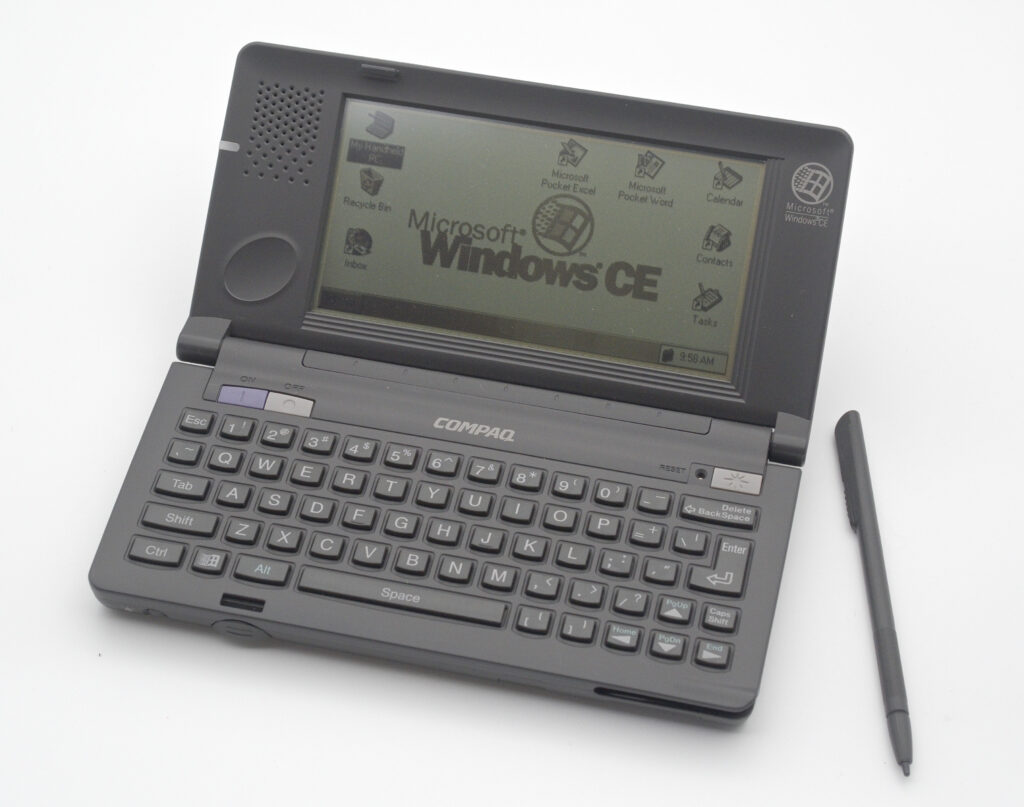
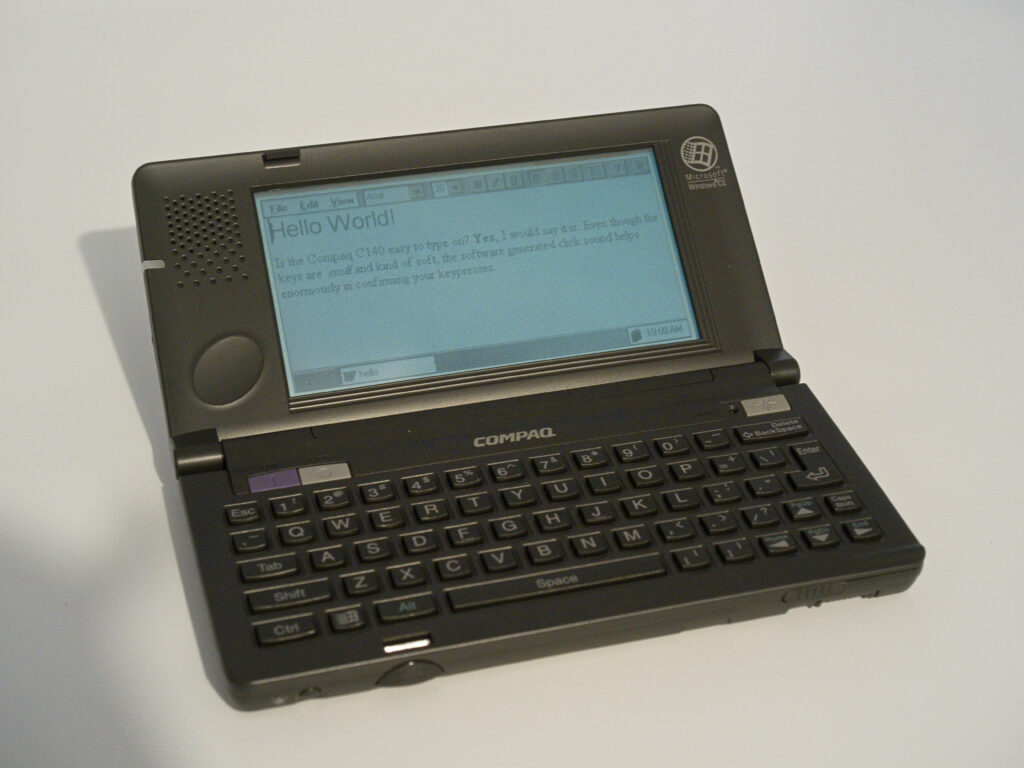
At first glance, the C140 appears to be just another grey, early Windows CE device. However, after spending some time with it, it becomes clear that there is much more to it than that.
Hardware
The Compaq C140 features the same CPU—a Hitachi SH3 running at 40 MHz—and the same amount of RAM—4 MB—as its HP counterpart.
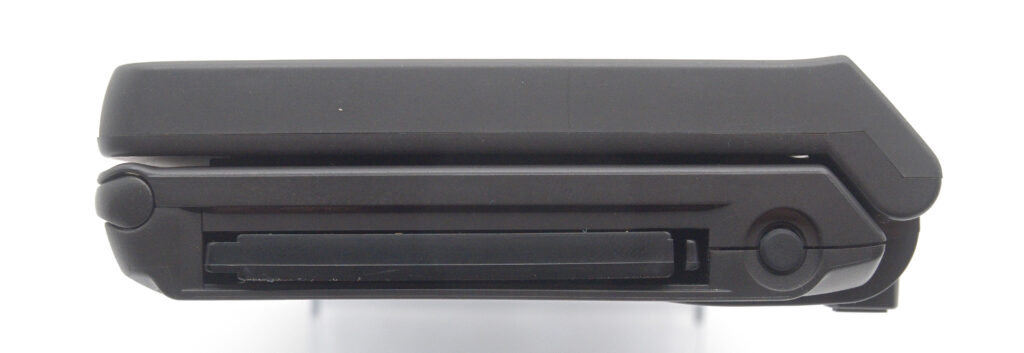
It includes a single PC Card slot for expansion, which can be used either for storage or for communication cards such as modems or network adapters. Unlike the HP 320LX, it does not include a CompactFlash slot.
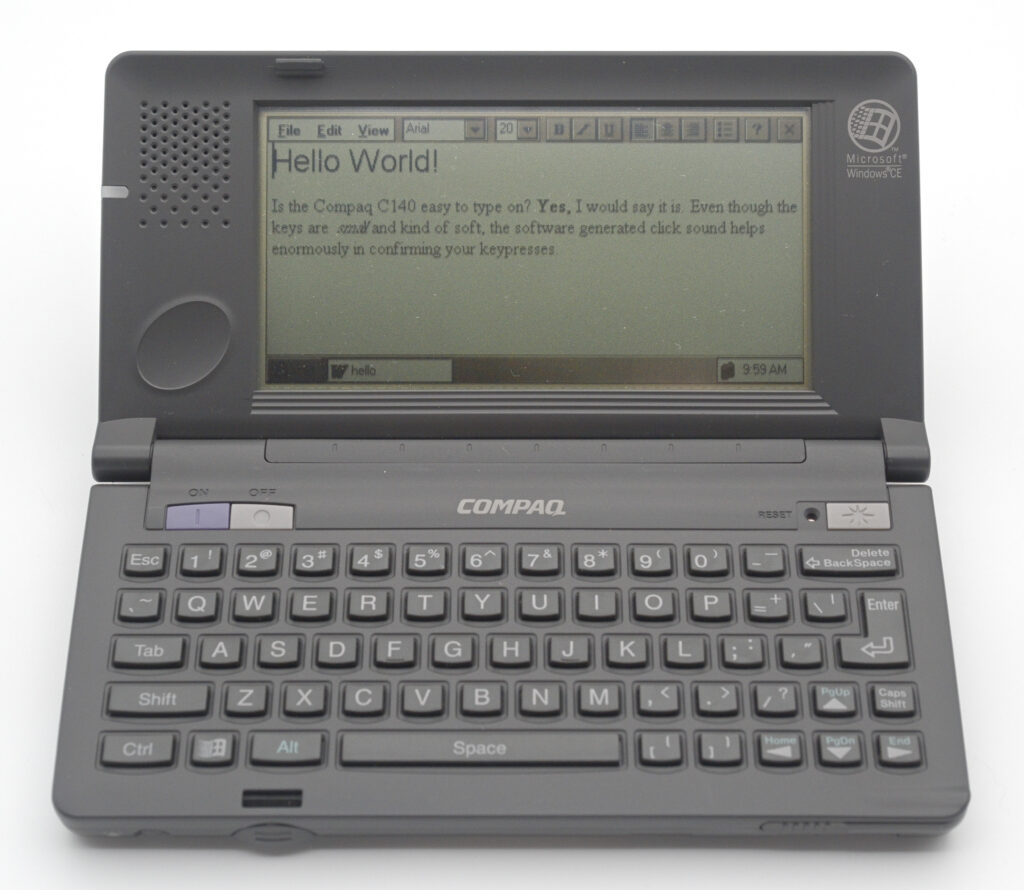
The display is a 4-level grayscale LCD with a resolution of 480 × 240 pixels (compared to 640 × 240 on the HP). It features an electroluminescent backlight, while the keyboard itself is not backlit.
Software
The C140 runs Microsoft Windows CE 1.0. As far as I can tell, Compaq did not add any significant software on top of the base system.
The operating system resides on a removable ROM card, similar to the HP 320LX. An official upgrade to Windows CE 2.0 was available at the time, although it is very difficult to find today.
Windows CE 1.0 was designed to resemble its desktop counterpart—Windows 95—as closely as possible, but there were some important differences:
- A stylus is used for interaction instead of a mouse
- There is no underlying DOS layer, unlike Windows 95
Like desktop Windows, however, it supports multitasking and allows quick switching between applications.
Windows CE 1.0 was known for its instability. It could feel sluggish even on relatively capable hardware, and users often had to reset the device. Fortunately, Compaq made the reset hole highly visible in the top-right corner of the keyboard—something that stands in stark contrast to HP, which placed it on the underside of the unit.
Communication
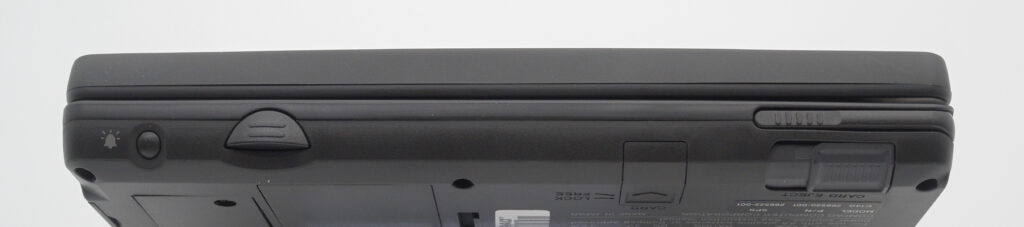
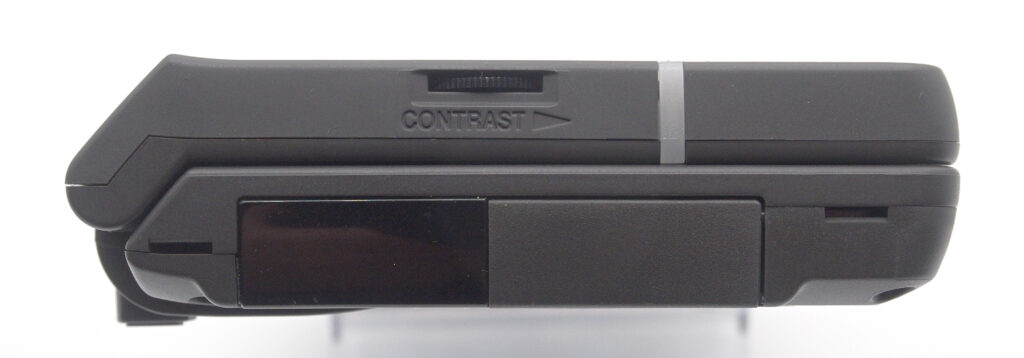
The Compaq C140 offers two primary communication methods. One is the infrared port located on the left edge of the device. The other is a serial port, located next to it under a cleverly designed sliding hatch that retracts into the unit when in use.
While the signalling follows standard serial protocols, the connector itself is proprietary. Synchronization with a PC is performed using Microsoft ActiveSync.
What Compaq did right
Given the limited room for differentiation within Microsoft’s hardware constraints, what could a manufacturer do to make its product stand out?
Quite a lot, as it turns out.
There is a saying that “the devil is in the details.” In this case, I would argue that the beauty is in the details. Here are some aspects of the Compaq C140 that, in my view, make it a more refined product than the HP 320LX:
Battery compartment
This initially puzzled me: the two AA batteries are placed in the lid that covers the battery compartment, rather than in the compartment itself.
This design simplifies battery handling and reduces the risk of leakage damaging internal contacts. Once inserted, the lid is firmly secured by a well-designed locking mechanism, making it almost impossible to open accidentally and cut power to the device.
Opening and closing the PDA
The Compaq features a physical release button that must be pressed to open the display. This provides a reassuring sense that the unit will remain closed when not in use.
The hinge is also well-balanced, allowing the display to be positioned at various angles without the unit tipping over—something that can happen with other devices if opened too far.
Location of buttons and controls
The power buttons—separate for on and off—are located at the top of the keyboard and are clearly colour-coded. This makes them easy to find and use.
Other devices often place the power switch on the side, where it can be awkward to locate.
The backlight button is also placed prominently at the top, along with the reset hole. This may seem like a small detail, but given the instability of Windows CE 1.0, having quick access to the reset function was a very practical design decision.
The contrast wheel is positioned next to the display—exactly where you would expect it to be. The speaker is also located there, made possible by the slightly narrower display compared to HP’s design.
Finally, ejecting a PC Card involves a two-step process: first moving a switch to a “Free” position, and then pressing the eject button. This reduces the risk of accidental removal.
Weight and size
While not dramatically different, the Compaq is slightly smaller and lighter than the HP counterpart, which makes a noticeable difference when carrying it in a pocket.
The trade-off is the lower horizontal resolution—480 pixels instead of 640. For spreadsheet work, the wider display of the HP is clearly beneficial. For general word processing or messaging, the difference is less significant.
A more notable limitation is the lack of a CompactFlash slot. Since the PC Card slot must be used for both storage and communication, you cannot do both at the same time.
The Compaq C140 is a great example of how thoughtful design can differentiate products, even within a tightly constrained platform.
It shows that while Microsoft defined the technical foundation, manufacturers still had room to innovate—particularly in ergonomics and usability.
In my view, the C140 demonstrates how attention to detail can give a product a clear edge over its competition.
References
Technical specifications from HPC factor
A video from SVGA showing off the Compaq C140